 |
 |
|
|
New mobile-friendly MP4 video! WrestleMen TV is for users with high-speed internet on PC or Mac or mobile on smartphones and tablets that can play mp4 video. If you do not have a high-speed connection, it's best to just purchase the DVD for the video title you want if it's available. 1.
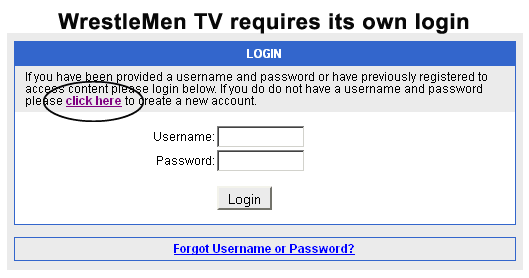
Create a User Account
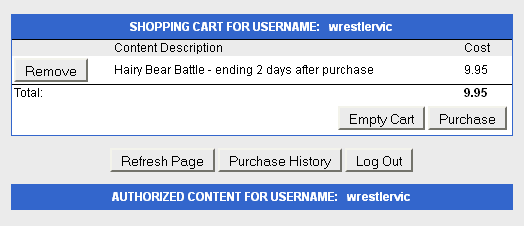
2. After you've created an account and logged in, a shopping cart will appear with the selected video to buy:
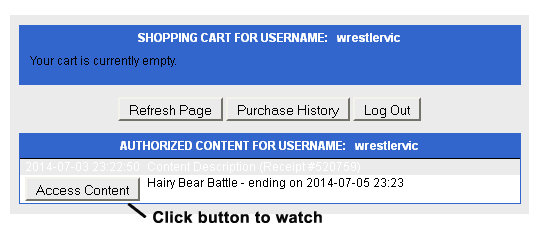
3. Click on Purchase and proceed with Payment checkout. Payment is secure via Paypal. Nothing will be shipped to your address, so you can choose "Shipping is not required." Also, don't pay via PayPal e-check if you want immediate access to the video. E-checks take 4 days to clear. After you have successfully paid for the item, you will be returned to the shopping cart like below with the video you purchased under the Authorized Content section.
4.
Accessing and Viewing Video 5. Your video will appear in a Player window and begin playing. You can use the play, pause, and scroll controls to control your viewing experience. 6. That's it! If you like the video and want to buy it in crystal clear quality on DVD, click on the DVD button below the video title. That will take you to the DVD store where you can make your purchase. Enjoy! |
|||